
Maintaining your DEWALT power tools is essential for ensuring they perform at their best and have a long service life. Proper care includes regular cleaning, inspecting components, and addressing common issues promptly. This guide provides practical, step-by-step instructions to help you troubleshoot and maintain your tools safely and effectively.
Whether you’re a professional contractor or a DIY enthusiast, understanding the basics of DEWALT power tools maintenance will save you time and money, reduce downtime, and extend the lifespan of your equipment.
Key Takeaways
| Regular Cleaning | Keep tools free of dust and debris to prevent overheating and wear. |
| Battery Care | Properly charge, store, and replace batteries for optimal performance. |
| Inspect Components | Regularly check for damage or wear on bits, chucks, and cords. |
| Troubleshooting Common Issues | Identify and resolve problems like weak power or unusual noises. |
| Proper Storage | Store tools in a dry, clean environment to prevent rust and damage. |

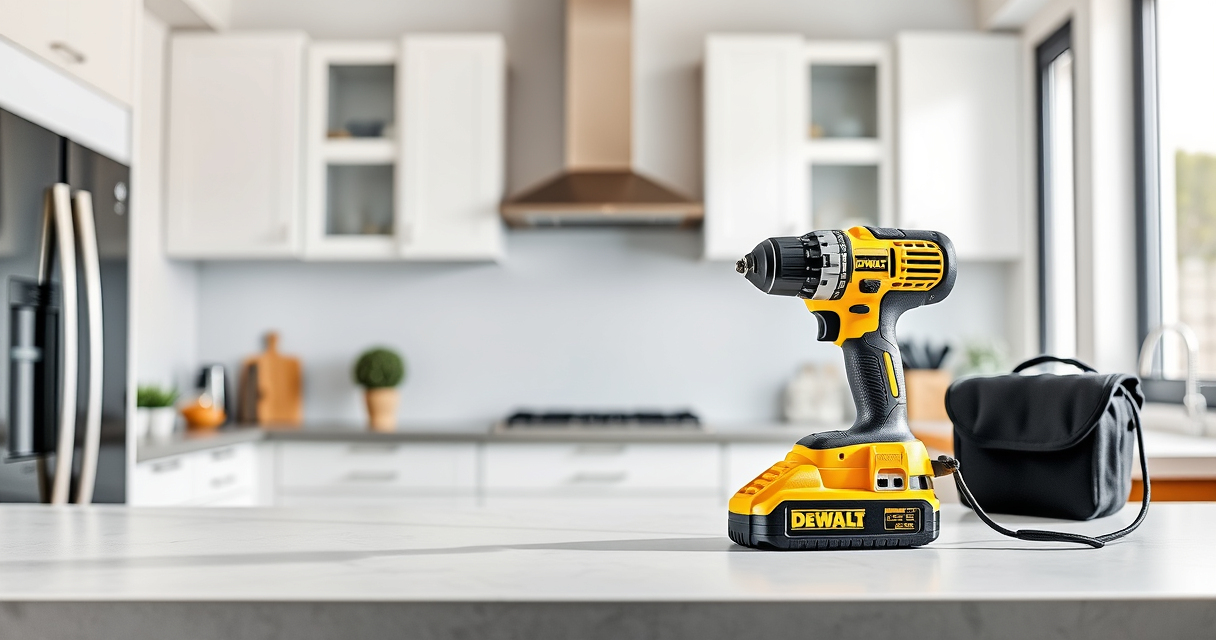
DEWALT 20V MAX Cordless Drill and Impact Driver, Power Drill Brushless 2-Tool Power Tool Combo Kit, Includes 2 Batteries, Charger and Bag (DCK277D2)
- Compact Design: 7.6-inch lightweight and slim fit
- Ergonomic Grip: Comfortable, balanced control for extended use
- Bright LED Light: Illuminates workspace with 20-second delay
As an affiliate, we earn on qualifying purchases.
Routine Cleaning and Inspection
- Unplug or remove batteries before cleaning your DEWALT tools to ensure safety.
- Use a soft brush or compressed air to remove dust, dirt, and debris from vents, switches, and crevices.
- Wipe down the exterior with a damp cloth and mild detergent, avoiding excess moisture near electrical parts.
- Inspect the chuck, bits, and battery contacts for signs of wear or damage, replacing or servicing as needed.
Regular cleaning helps prevent overheating and mechanical failure while keeping your tools in peak condition.

DEWALT Drill Bit Set, 3-Flats Shank,14-Piece, 135 Degree Split Point, for Plastic, Wood and Metal (DWA1184)
- Tip Design: 135° Split Point to Reduce Walking
- Material: High-Speed Steel for Versatility
- Durability: Tapered Web for Breakage Resistance
As an affiliate, we earn on qualifying purchases.
Battery Maintenance and Troubleshooting
- Ensure batteries are fully charged using the proper DEWALT charger, avoiding overcharging or deep discharges.
- Store batteries in a cool, dry place and avoid leaving them in extreme temperatures.
- Check the LED fuel gauge on batteries to confirm charge levels before use.
- If a battery isn’t holding a charge or the tool runs weakly, try cleaning the contacts with a dry cloth and reseating the battery.
- Replace batteries showing signs of swelling, corrosion, or reduced runtime.
Proper battery care extends runtime and prevents potential safety hazards such as overheating or leaks.
Troubleshooting Common Power Tool Issues
- No Power or Weak Operation: Check the battery charge, ensure it’s properly seated, and inspect for damage. Replace if necessary.
- Overheating: Allow the tool to cool down, clean vents, and avoid prolonged use without breaks.
- Unusual Noises or Vibration: Inspect bits, chucks, and internal components for damage or misalignment. Tighten or replace parts as needed.
- Bits Not Changing Smoothly: Lubricate the quick-release hex chuck and check for debris or wear.
Addressing these issues promptly can prevent further damage and ensure your tools operate smoothly.
Sharpening and Replacing Bits and Attachments
- Remove worn or dull bits from the chuck, and clean the chuck thoroughly.
- Use a sharpening stone or grinder designed for drill bits to restore sharpness, following manufacturer instructions.
- Replace bits that are chipped, cracked, or excessively worn for safety and efficiency.
- For impact drivers, ensure bits are properly seated and compatible with your model.
Using sharp, high-quality bits improves work quality and reduces strain on your tools.
Proper Storage and Long-term Care
- Store tools in a dry, organized toolbox or storage cabinet to prevent rust and damage.
- Keep batteries away from extreme heat or cold; remove batteries if storing for extended periods.
- Periodically inspect tools and batteries, performing maintenance as needed.
- Use protective cases or bags for transport to protect from impacts and dust.
Proper storage prolongs the life of your DEWALT tools and keeps them ready for use when needed.
The Products in This Guide

DEWALT 20V MAX Cordless Drill and Impact Driver
- ✔ Max Speed: 2000 RPM
- ✔ Charging Time: 1 hour
- ✔ Impact Rate: 3200 IPM

DEWALT Drill Bit Set
- ✔ Drive Type: Hex
- ✔ Web Design: Tapered
- ✔ Application: Multi-material
DEWALT 20V MAX Cordless Drill and Impact Driver
<p>The DEWALT 20V MAX Cordless Drill and Impact Driver combo kit offers reliable performance with brushless motors, ergonomic design, and convenient features like LED lighting. Regular maintenance ensures it remains a dependable tool for various projects.</p>
Pros:
- Bright LED for visibility in dark spaces
- Lightweight and ergonomic for comfortable use
- Quick-release hex chuck for easy bit changes
- Includes 2 batteries for extended work time
Cons:
- Battery life depends on usage intensity
- Brushless motors may require firmware updates
- Charger not included in all kits
Best for: DIY enthusiasts and professionals needing a reliable, versatile drill set
Not ideal for: Heavy-duty industrial applications that require more power
Bottom line: A versatile, lightweight combo kit ideal for a wide range of projects.
DEWALT Drill Bit Set
<p>This DEWALT 14-piece drill bit set features high-speed steel bits with a 135-degree split point to reduce walking and improve accuracy. It’s perfect for plastic, wood, and metal.</p>
Pros:
- Durable high-speed steel construction
- Includes a variety of sizes
- Split point reduces walking
- Easy size identification
Cons:
- Limited to general drilling tasks
- No carrying case included
- Bits may wear over time with heavy use
Best for: Home projects and light professional work requiring reliable bits
Not ideal for: Heavy industrial drilling or heavy-duty applications
Bottom line: A versatile set of drill bits suitable for a variety of common tasks.
Frequently Asked Questions
How often should I clean my DEWALT power tools?
Regular cleaning should be performed after every few uses, especially if used in dusty or dirty environments, to prevent overheating and wear.
Can I use any batteries with my DEWALT tools?
Only DEWALT 20V MAX Lithium-ion batteries are compatible with the DCK277D2 and similar tools to ensure optimal performance and safety.
What should I do if my tool isn’t turning on?
First, check the battery charge level and ensure it is properly seated. Inspect for any visible damage or debris, and consider replacing the battery if the issue persists.
Is it safe to use my DEWALT tool in wet conditions?
Most DEWALT tools are not designed for wet environments unless explicitly rated as waterproof. Always follow safety instructions and avoid exposure to moisture.
How can I extend the lifespan of my batteries?
Store batteries in a cool, dry place, avoid deep discharges, and recharge before they are completely empty. Regularly clean contacts and avoid overcharging.
Keep Your DEWALT Power Tools in Prime Condition
Consistent maintenance and troubleshooting are key to ensuring your DEWALT power tools remain reliable and efficient. From routine cleaning to addressing common issues, following these practical steps can prolong the life of your tools and improve your work quality. Remember, safety always comes first—never service or repair your tools while they are plugged in or powered on.
By investing a little time in proper care, you’ll maximize your tools’ performance and enjoy trouble-free operation on your projects for years to come.
Affiliate disclosure: As an Amazon Associate we earn from qualifying purchases. Prices and availability are accurate as of the time of publishing.