
TL;DR
Building your own AI workstation used to be cheaper, but supply chain issues have leveled the playing field. Now, the choice depends more on your control, support needs, and how quickly you want to deploy. Both options have pros and cons worth weighing carefully.
Imagine you’re ready to dive into AI work — training models, running local inference, or experimenting with creative AI tools. The question isn’t just what parts to buy or how to assemble them. It’s whether you’ll build your own machine or buy a prebuilt one.
In a market reshaped by supply chain hiccups and soaring component prices, the classic build-vs-buy debate has flipped. Now, your choice hinges on more than just cost — it’s about control, support, and how quickly you need results. This guide cuts through the noise, showing you what’s really at stake in 2026.
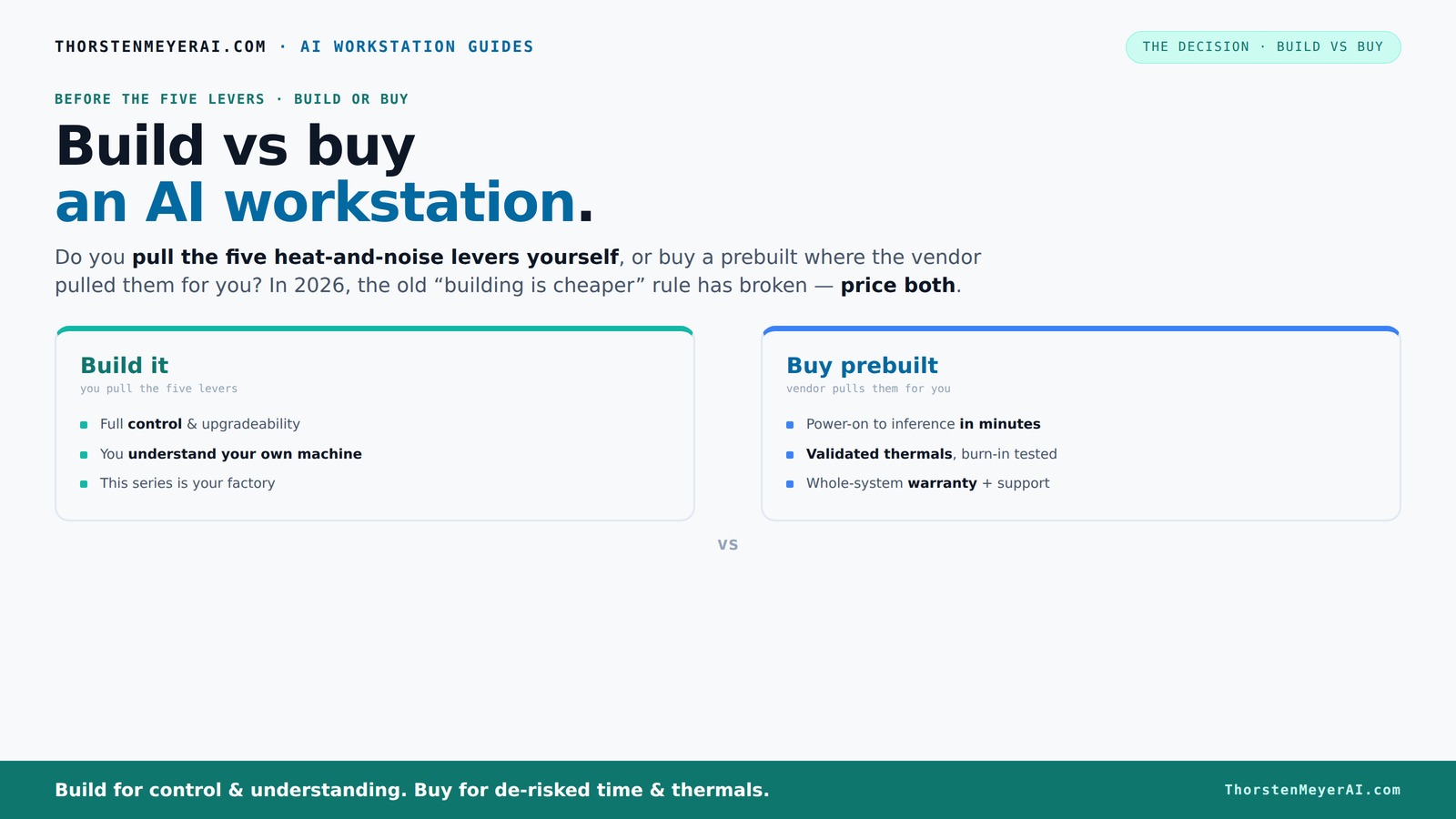
Build vs buy
an AI workstation.
The real question behind this whole series: do you pull the five heat-and-noise levers yourself, or buy a prebuilt where the vendor pulled them for you? And in 2026, the old “building is cheaper” rule has broken. Match your situation in Part 3.
Key Takeaways
- Component shortages in 2026 mean prebuilts often match or beat DIY prices for high-end AI workstations.
- Prebuilts handle thermal tuning and validation, reducing setup time and risk of throttling during long runs.
- Building offers maximum control and customization but requires time, expertise, and troubleshooting skills.
- Compare total costs carefully — prebuilt might be more expensive upfront but saves time and provides support.
- Your choice depends on whether you value immediate deployment, support, and thermal validation or customization and learning.

WIWB Gaming PC Desktop Core I9-14900HX, RTX 5060 Ti 8G, 1TB NVME SSD
- Powerful Processor: Intel Core i9-14900HX with 24 Cores
- High-Performance Graphics: GeForce RTX 5060 Ti 8GB GDDR7
- Fast Memory & Storage: 16GB DDR5 RAM and 1TB NVMe SSD
As an affiliate, we earn on qualifying purchases.
As an affiliate, we earn on qualifying purchases.
Why the build-vs-buy debate changed in 2026 — the big market shift
For years, building your own AI workstation meant saving money. But in 2026, that’s no longer guaranteed. Component shortages and bulk purchasing have pushed prices for GPUs, DDR5 RAM, and SSDs sky-high.
A high-end build that once cost under $1,000 now easily surpasses $1,250 — even before adding the OS or software. Meanwhile, established vendors bought in bulk before prices spiked, allowing them to offer systems that can match or beat DIY prices.
So, the old rule that DIY always wins on cost is broken — today, it’s essential to compare specific configurations in your region before deciding.
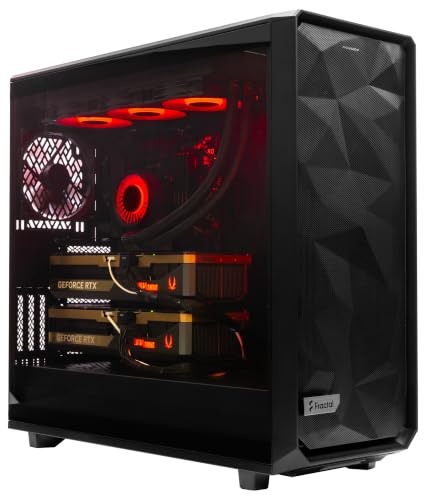
ArsenalPC MES2X Dual GPU AI Workstation - AMD Ryzen 9-9950X3D2 16 core 4.3GHz - Dual GPU GeForce RTX 5090-8TB (2x4TB RAID) NVMe SSD - 256GB DDR5-1600W - Windows 11 Pro - Liquid Cooled
- Processor: AMD Ryzen 9-9950X3D2 16-core 4.3GHz
- Memory: 256GB DDR5 RAM
- Graphics: Dual NVIDIA GeForce RTX 5090 64GB
As an affiliate, we earn on qualifying purchases.
As an affiliate, we earn on qualifying purchases.
The five levers of thermal performance — who handles them?
Making a high-power AI workstation run cool and quiet is a balancing act. You can pull five levers: undervolting the GPU, matching the cooler, optimizing airflow, tuning fans, and choosing the right placement. For more on thermal management, see home theater projectors and setup guides.
When you buy a prebuilt, the vendor pulls these levers for you. They run the system through burn-in tests, tune fans, and often install water-cooling for quieter, cooler operation. Think of prebuilts like factories that’ve already optimized your machine.
If you build it yourself, you get to control every lever. You choose a quiet GPU, pick a case with sound-dampening features, and set up airflow exactly how you want. It’s a learning experience — and your machine can be perfectly tuned to your environment. But this control also means you need to understand thermal dynamics, as improper tuning can lead to thermal throttling, which reduces performance and longevity. Balancing noise, cooling efficiency, and power consumption requires careful testing and iteration, especially under sustained workloads common in AI training or inference.

Mastering AI Workstations for High-Performance Computing: Your Guide to Configuring, Optimizing, and Harnessing the Power of AI-Ready Workstations for Maximum Productivity
As an affiliate, we earn on qualifying purchases.
As an affiliate, we earn on qualifying purchases.
Prebuilt systems: quick, tested, and worry-free or just expensive?
If you value plug-and-play convenience, prebuilt AI workstations are hard to beat. They arrive with the OS, drivers, and software stack ready to go. Learn more about reliable prebuilt options at Build vs Buy a Prebuilt AI Workstation. You power on, and in minutes, you’re running inference or training.
Plus, reputable vendors conduct extensive testing — 24 to 48 hours of stress testing — to ensure your machine won’t throttle or overheat during long sessions. They also stand behind their work with warranties, sometimes up to 5 years for parts and labor.
However, this convenience comes at a price. Often, prebuilts cost a bit more than assembling the same parts yourself. But consider the value of your time and peace of mind — is saving hours worth the extra cash? Moreover, the thorough testing and validation mean you’re less likely to encounter unexpected thermal or stability issues, which can be costly and time-consuming to troubleshoot on your own. This reliability is crucial for professional workloads, where downtime or hardware failures can significantly impact productivity and project timelines.
Beyond cost, prebuilt systems offer the advantage of guaranteed compatibility and optimized thermal performance, which is especially critical when dealing with high-performance components that generate substantial heat. This means fewer surprises and more predictable performance, reducing the risk of thermal throttling that can bottleneck your AI workloads and extend hardware lifespan.

NIMO 17.3 AI-Laptop Copilot+ PC, AMD Ryzen AI 9 HX 370(12C/24T, 50 Tops NPU) Radeon 890M, 16GB DDR5 RAM 1TB SSD, 144Hz FHD, PD 100W USB-C 4.0, AI-PC for Mobile Workstation Programmer Business-Gaming
- Powerful AMD Ryzen AI 9 HX 370: Fast AI-accelerated performance with Radeon 890M
- Large 17.3-Inch Display: Extra workspace for multitasking and creative work
- 144Hz High Refresh Rate: Smooth visuals for gaming and video calls
As an affiliate, we earn on qualifying purchases.
As an affiliate, we earn on qualifying purchases.
DIY: control, customization, and the cost of learning
Building your own AI workstation means total control over every component. Want a specific GPU, like an RTX 4090 with 24GB VRAM? You pick it. For tips on customizing your setup, see Build vs Buy a Prebuilt AI Workstation. Need a custom cooling solution or a particular case? You decide.
This route is perfect if you’re comfortable with hardware and want to optimize for noise, thermals, or future upgrades. But beware — it takes time, patience, and troubleshooting skills. You’ll learn a lot, but it costs in hours and potential headaches. The process of selecting compatible parts, assembling, and testing can reveal unforeseen issues, such as compatibility conflicts or thermal bottlenecks. For guidance on building your own system, visit Build vs Buy a Prebuilt AI Workstation. These challenges, while educational, can delay deployment and increase costs, especially if mistakes lead to component damage or suboptimal performance.
Additionally, the costs of DIY can sometimes balloon beyond prebuilt options, especially if you opt for premium cooling, custom cases, or encounter supply shortages. The key tradeoff is that this path offers unmatched customization and the satisfaction of building something tailored exactly to your needs — but only if you’re prepared for the complexity and potential setbacks. In essence, DIY is as much about the learning journey as it is about the final system, and that experience can be invaluable for ongoing maintenance and upgrades.
Cost comparison: build or buy? Here’s the real deal
| Factor | Build | Buy |
|---|---|---|
| Initial cost | Often lower, but depends on part prices and extras | Usually more expensive, but includes validation & support |
| Time investment | Several hours to days for sourcing, assembly, testing | Minutes to hours — plug-and-play |
| Thermal validation | You tune it yourself, which requires testing under load to ensure proper cooling and avoid thermal throttling. Proper thermal management is crucial for maintaining performance, especially during prolonged AI training sessions, where overheating can cause throttling or hardware damage. Without proper thermal tuning, your system may run hotter, leading to potential throttling that reduces performance or, worse, hardware failure over time. This process demands a good understanding of airflow, cooling solutions, and component limits, meaning trial, error, and learning are involved. | Vendor handles thermal tuning and testing, providing a system that’s pre-validated for thermal performance. This reduces the risk of thermal issues during intensive workloads, ensuring consistent performance without user intervention. It also means you can rely on the system’s stability and longevity, which is especially important when running AI models for extended periods. Proper thermal validation upfront minimizes unexpected downtime, saving you troubleshooting time and protecting your investment. |
| Support & warranty | Self-support or third-party, which can be variable and require technical expertise to troubleshoot | Single vendor, often longer warranty, with dedicated support channels |
| Upgrade flexibility | High — standard parts, easy to swap, upgrade over time | Depends on vendor design, sometimes proprietary parts, which can limit future upgrades |
When does building make sense in 2026?
Building your own AI workstation is worth it if you’re comfortable with hardware, want maximum control, or enjoy the process. If you’re a hobbyist, student, or researcher with flexible time and a tight budget, DIY can stretch your dollars furthest.
Plus, if you want a highly customized setup — a specific GPU, cooling, or upgrade path — building allows you to tailor exactly to your workflow. Just remember, supply chain issues can make parts pricier or harder to find, so do the math first. Additionally, the experience gained from building can be invaluable for troubleshooting and future upgrades, giving you a deeper understanding of your system’s capabilities and limitations. This knowledge can save time and money in the long run, as you’ll be better equipped to diagnose issues or plan upgrades.
When does buying a prebuilt save your day?
If you need your AI workstation fast, or want to avoid the hassle of sourcing and troubleshooting, prebuilts shine. They’re ready to deploy with validated thermals, tested stability, and support. For busy professionals or teams, the time saved can be worth the premium.
High-end multi-GPU systems, which are complex to build and tune, are often better bought preassembled and tested. Plus, if support and warranty matter, prebuilts reduce your headache by offering single-vendor accountability. This is especially important in professional environments where downtime can be costly, and quick deployment is essential for meeting project deadlines or research milestones. The reliability and immediate availability of prebuilt systems can prevent costly delays, ensuring you stay on schedule and avoid the pitfalls of troubleshooting hardware issues from scratch.
Frequently Asked Questions
Is it cheaper to build or buy an AI workstation right now?
It depends on your specific hardware choices and regional prices. With component shortages, prebuilts often cost the same or less than a DIY build, especially when factoring in time and support. Always compare prices for your exact configuration.
Which option offers better performance for local AI workloads?
Both can offer top-tier performance if built or bought correctly. Prebuilts come pre-validated for thermals and stability, while DIY allows you to fine-tune for maximum performance — but it requires expertise.
How much GPU VRAM do I need for AI work?
For most training tasks, 24GB VRAM like the RTX 4090 is a good baseline. For larger models or multi-GPU setups, more VRAM helps. Check your workload’s requirements before choosing your GPU.
Will buying a prebuilt limit my upgrade options later?
Often, yes. Prebuilts sometimes use proprietary parts or limited PCIe slots. Building your own system generally offers more flexibility for future upgrades, especially with standard ATX components.
How important is warranty support if I’m doing AI training or inference?
Very important. A reliable warranty can save days or weeks of troubleshooting. Vendors like Lambda or Puget provide extensive support, which can be worth the extra cost in critical workloads.
Conclusion
In 2026, the decision to build or buy your AI workstation isn’t just about saving a few bucks. It’s about what you value most: control and customization or speed and support. Both paths are valid — choose based on your workflow, skills, and how much time you want to invest.
Remember, the market has flipped the old rule — sometimes, buying can be the smarter move. Your next AI project depends on it.